Kingdom IDE
Aug 28, 2026 • Craig Loewen • Reading Time: 4 mins
I’ve been playing around with a pet project of making an IDE to work better with agents. I’m releasing it here for others to try as well, called Kingdom IDE. You can view the video deep dive, or read on below for the highlights.
Goals
I made this for two primary reasons:
- Give better visualization for what an agent is doing where in your project when it’s working
- Make it easier to set up isolated and ephemeral agent projects and workspaces that still connect to meaningful resources
Key features
Workspace and changes visualization
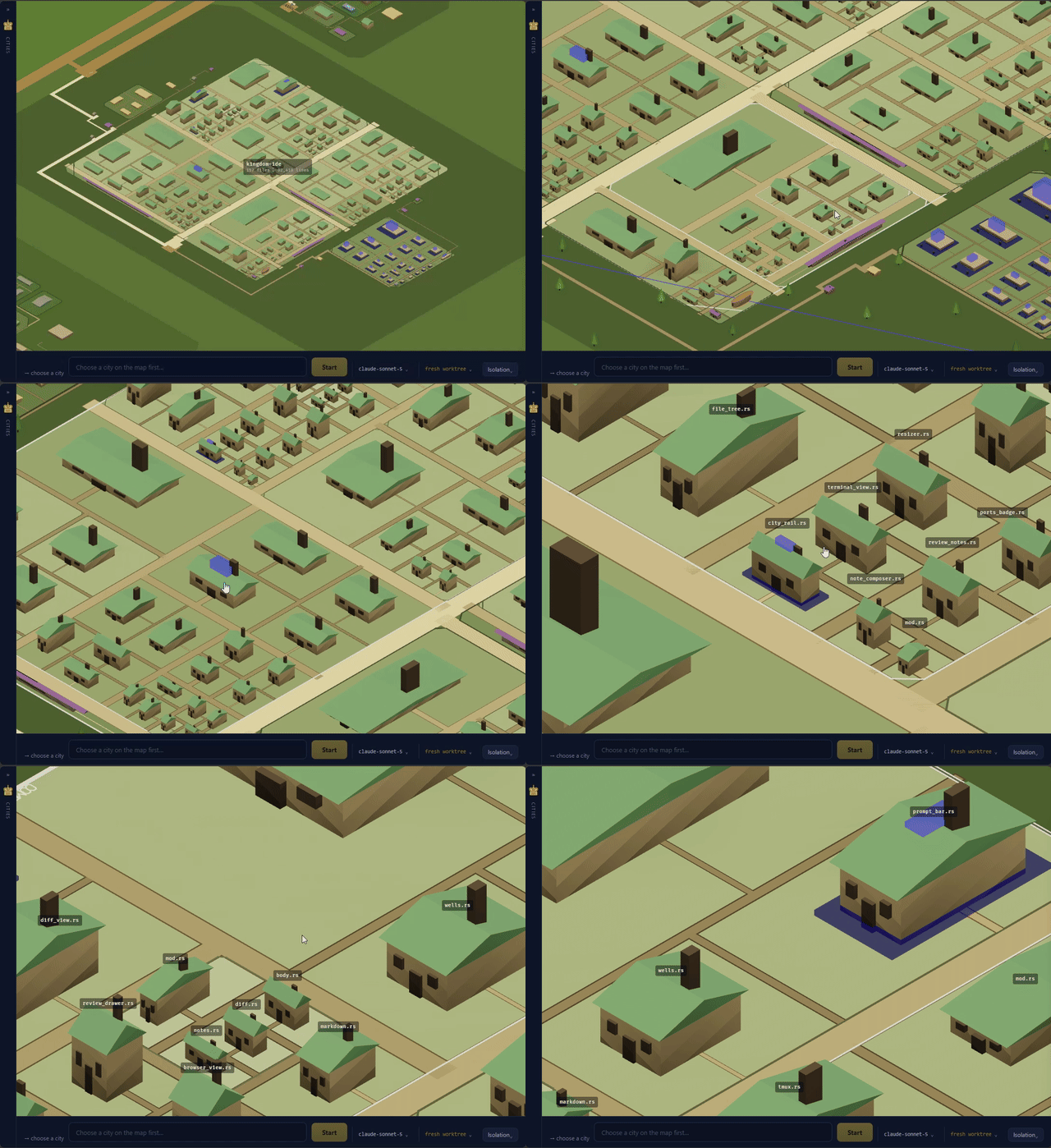
Your whole project folder is visualized for you in a town. Each agent acts as an architect, making plans of how they’d like to change the town. The size of buildings corresponds to the lines of the file, and the size of the roads correspond to how connected that file is to others in the project. Any changes made by the agents is also visualized.
The end result is you can have 10 agents working at once on the same project, and at a glance get a view of where the changes are concentrated, and whether they are touching any crucial files or rarely used ones.
Like a mind palace, I’ve found that I can more easily explore and get an understanding of how severe or not severe changes might be without having to read all of the code it writes in detail. Also I love the Dwarf Fortress / Age of Empires feel of it.
Isolation only for what matters
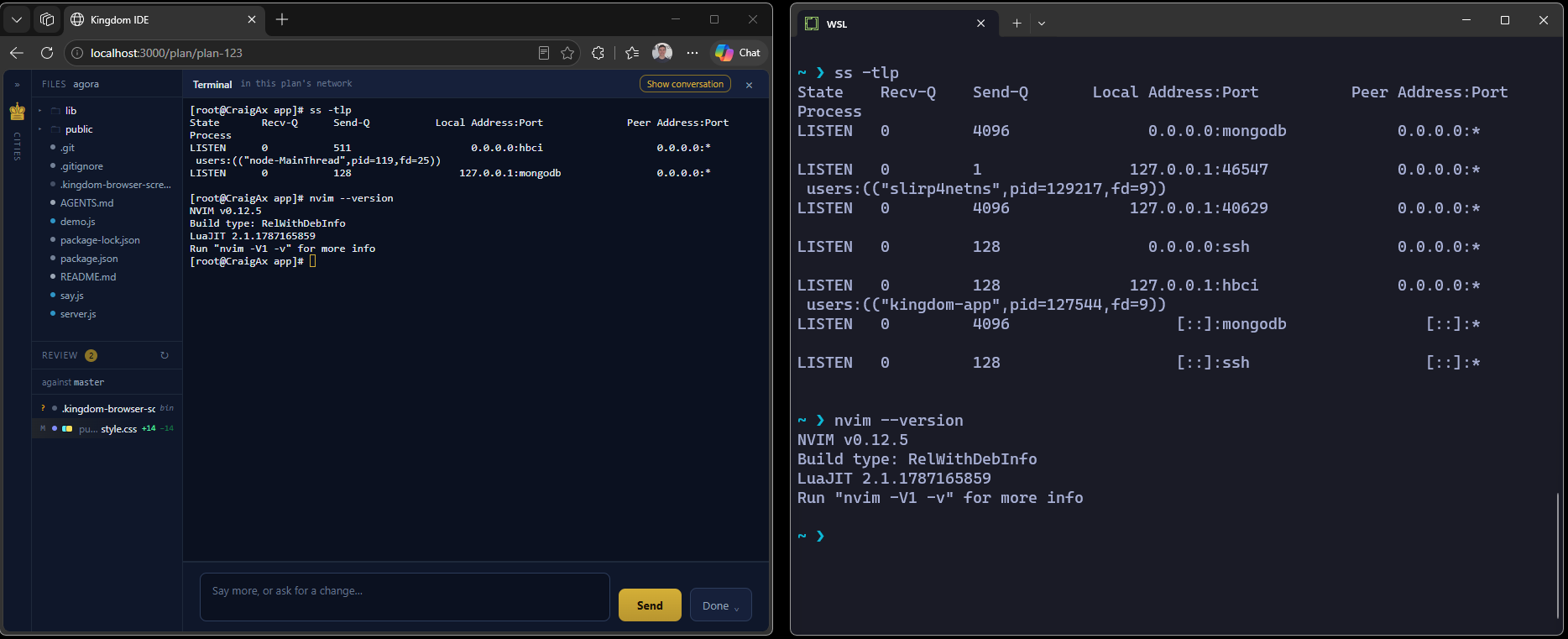
I wanted to easily isolate my agents for their file access, and their network, but wanted to give them access to other things like the tools I have installed on my machine without having to manage a bunch of Linux container files.
Linux containers could work great, but they’re heavy. Each one has its own file system, and I just wanted to share the things that I already had on my own existing file system while restricting access to other important bits.
Kingdom IDE makes this easy by using Linux namespaces to share sane defaults, so each container can access the tools you have on your host machine (Like ss in the screenshot above) without being able to go in and find or touch other projects in your file system.
As well the networking isolation makes it easy to run 10 agents at once, who are all programmed to grab port 3000 and then access them from the host for testing.
Better shared resources
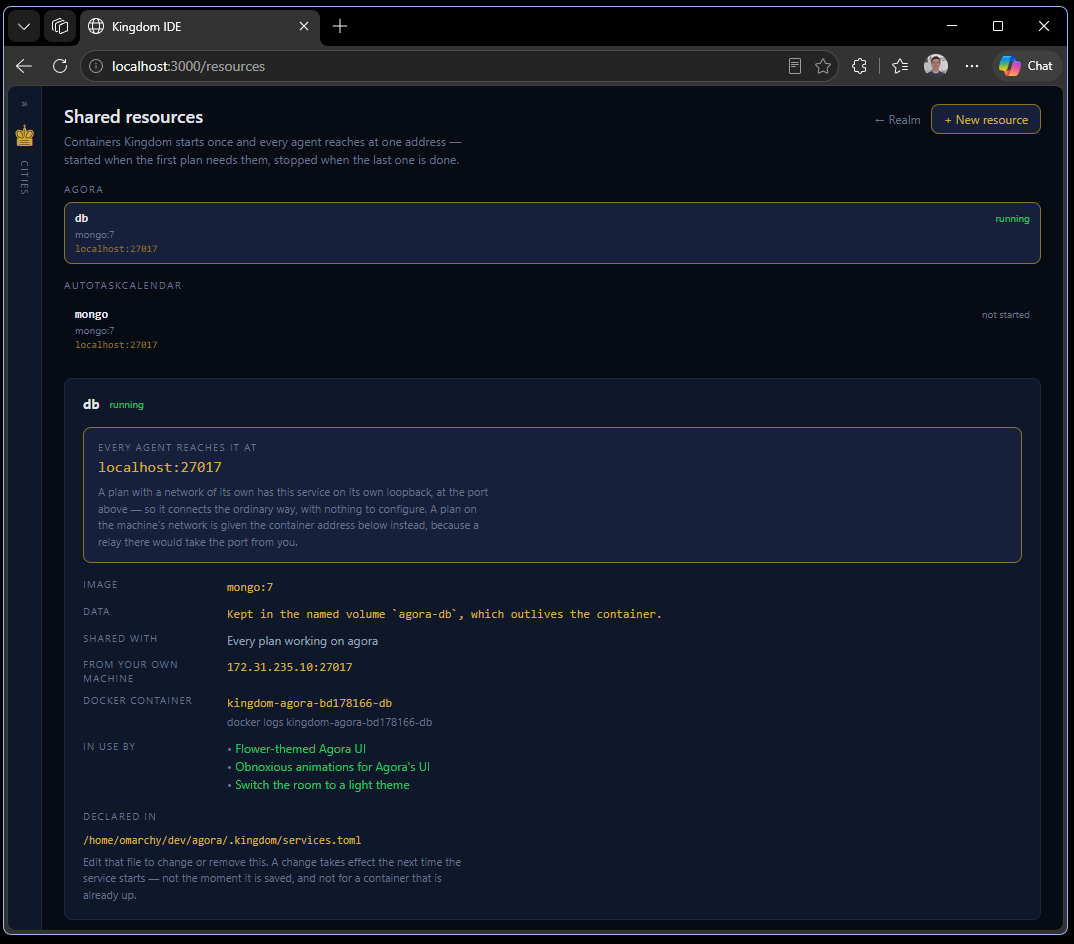
This IDE uses a ‘Resource’ metaphor to quickly understand what it’s asking. You can make one database and share that across multiple agents, letting them do interesting things like read each other’s logs or implementations while working without impacting each other’s actual files or changes.
I personally use this to run one simple Docker container as my database for testing, so I don’t have 100s of different containers each corresponding to their own agent.
Review tools and processes
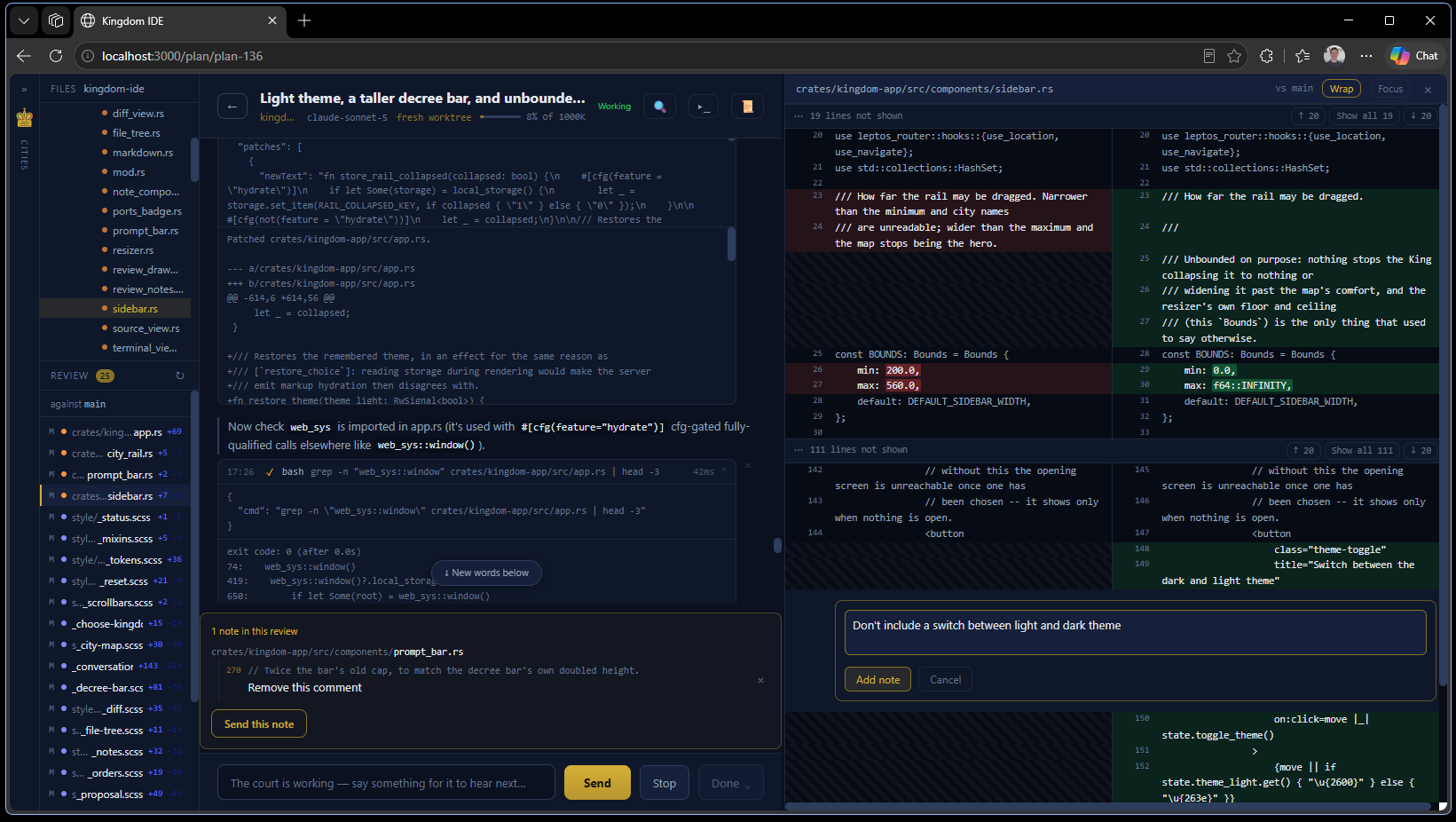
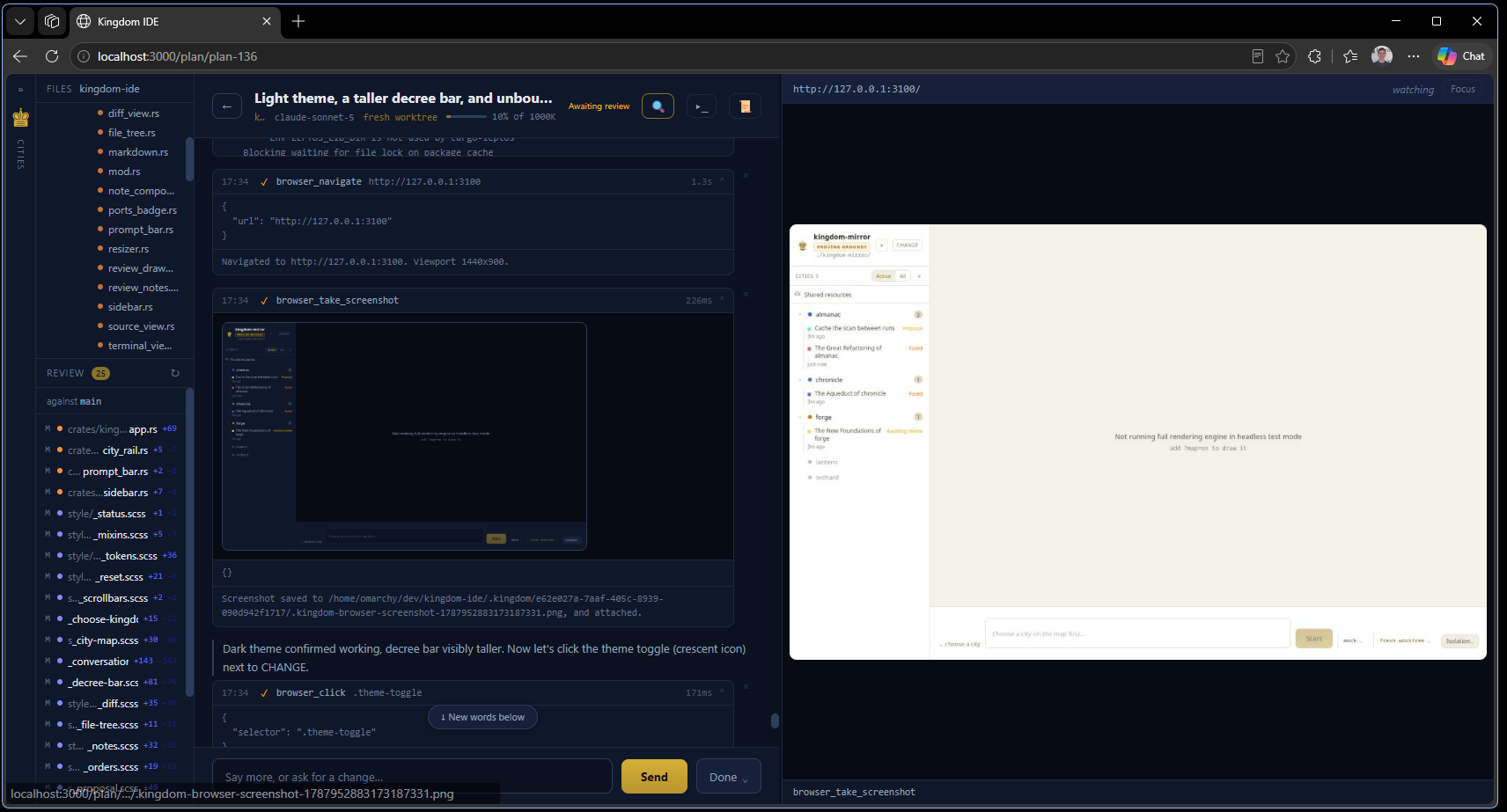
You can add comments to specific sections of files, easily merge or archive chats, have your agent access a browser tool and do some quick testing, all directly in Kingdom IDE as well.
Getting started
Go to github.com/craigloewen-msft/kingdom-ide, git clone the project, and then run it locally via cargo leptos serve.
Roadmap / next steps
This is mainly just something for fun right now as an exploration that I wanted to share and make available for people to try. I’ll probably mess with making it easier to do shared resources as I need them. PRs and contributions are more than welcome!
If you don’t like something about it, or want something new, I encourage you to just point it to itself and ask it to fix up whatever you want.
Also this was hugely based upon Scott Opell’s phoenix-ide which was an amazing starting point. Thank you Scott! :)